From description — to finished result
The main flow is making a part: description and cut simulation, a live machine twin at work, clear project steps. And that's not all — the same environment assembles automation too: machine and line logic, not just workpieces.
From description to cut
Describe the part
Parameters or a CAD constructor in the browser — even from a light laptop.
Toolpath generation
We build the model and cut toolpaths (G-code) — accounting for the machine twin's kinematics, material, machining calculators, and tool characteristics.
Check the cut
3D material-removal simulation down to the metal.
Send to the machine
The twin sends the program to the machine; the machine executes it, and the state returns to the twin.
The screens the work passes through
A live machine twin at work and clear project steps — a single canvas from stock to part.
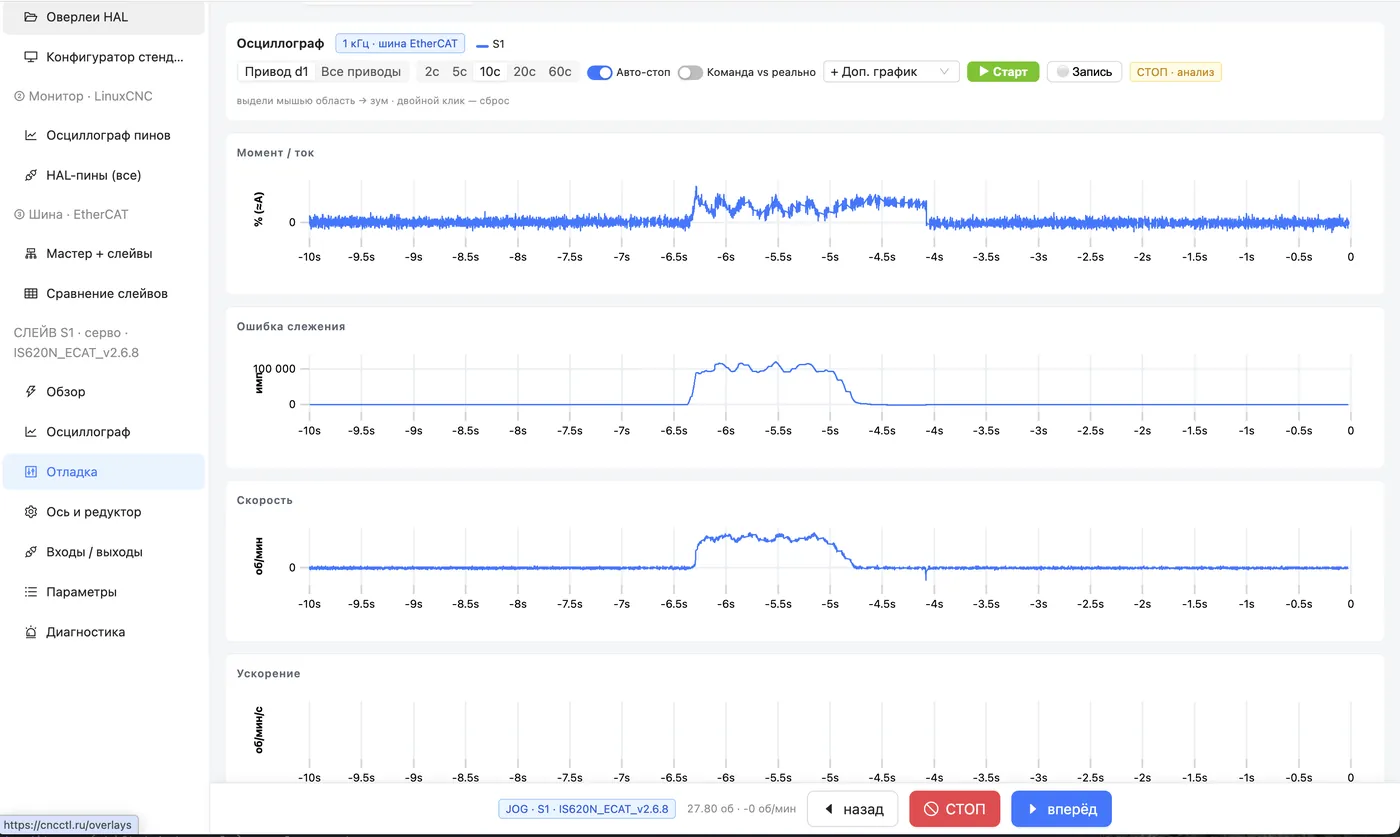
The machine on screen — in real time
DRO, spindle speed, following error, and torque on every axis — everything happening on the hardware is reflected in the twin in real time.
- Digital X / Y / Z axes and spindle speed live
- Following-error and servo-torque scopes — for tuning
- The twin is a mirror of the machine, with no cloud latency
Project — clear steps, one on top of another
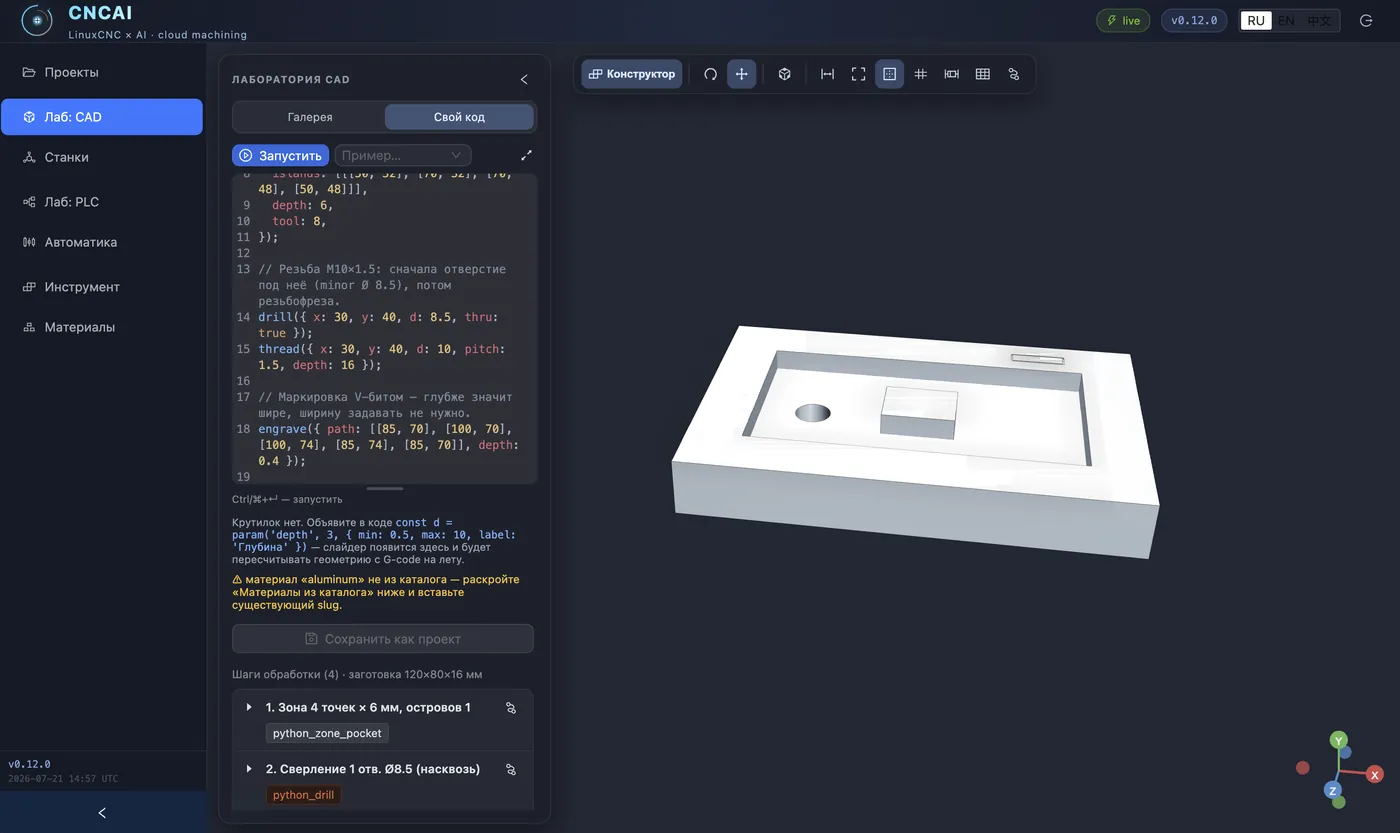
Each operation is a 3D card: stock, drilling, pocket, contour, finished part. You see what each step produces. You add a step on top of the result — like layers. For automation, steps unfold into an event graph of executors.
- From stock to part — bottom-up
- Click a card → step editor and simulation
- The result of one project → stock for the next
What works, and what doesn't yet
We develop the platform openly and don't overstate its readiness. Right now the product is in pilot operation: the key scenarios are proven on the bench, but they still need field use on real tasks. Here's the honest picture.
Commissioning and generation on the bench
Cross-vendor drive onboarding over EtherCAT (PDO/SDO, CiA-402), an object model of axes, control-program generation from the twin, cut simulation, live DRO and torque monitoring. Verified on the bench.
Load and coordination
A loaded bench and an accuracy passport, coordinating several drives into one machine, expanding the profile library, event-driven automation orchestration.
Typical shop-floor tasks
Which commissioning and machining tasks come up most often, and where the boundaries of applicability lie. This is where we need feedback from practitioners.
Pilot deployment — with the development team
We harden the platform on real tasks and take a limited number of pilot deployments. We're looking for those who already have a bench or test rig with servo drives and an unsolved task — commissioning, axis synchronization, machine or robot kinematics, machining. You get a working setup for your hardware and direct contact with the developers; we get the platform run in on a live bench.
A servo bench + a live task
Modern EtherCAT equipment (CiA-402) — mill, lathe, robot manipulator, or robotic cell — and a concrete unsolved task. Willing to test on a bench, not on main production.
Personally, in limited numbers
Direct contact with development for the whole pilot-operation period. We take few projects at a time — otherwise we can't keep support quality up.
Commissioning, sync, kinematics
Cross-vendor drive onboarding, axis synchronization over EtherCAT, forward and inverse kinematics of robots and parallel mechanisms, control-program generation from the twin.